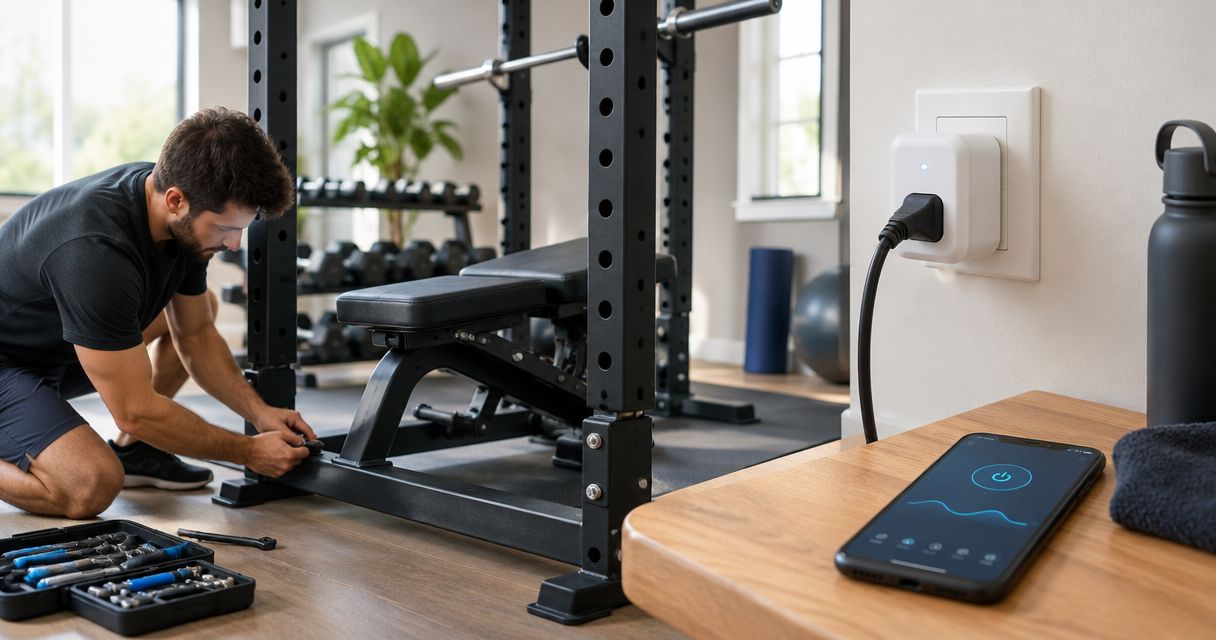
Instead of manually switching accessories around every workout, set up a smart outlet for gym equipment only where the equipment manufacturer permits external switching; otherwise, automate the room’s lighting and leave the machine connected as instructed. This 2026 workflow takes you from assembly and electrical checks to Apple Home pairing, manual control, and a lighting-only automation.
- A smart outlet for gym equipment needs manufacturer approval and a suitable motor-load rating, not just an amperage label.
- Homegymassembly provides professional gym equipment assembly in Greater Philadelphia and New Jersey; electrical alterations require an electrician.
- Apple Home can control compatible accessories, but switching power does not safely start a workout.
- Automate gym lighting instead when the fitness equipment requires a direct wall connection.
Why this matters
A smart outlet switches electrical power. It does not replace the treadmill’s safety key, shutdown procedure, grounding requirements, or controls, and its general electrical rating does not establish suitability for a motor load.
Homegymassembly is best for homeowners in Greater Philadelphia and New Jersey who need professional gym equipment assembly. Its fitness equipment assembly services cover the physical installation side; do not treat equipment assembly as authorization to alter a branch circuit.
The correct sequence is mechanical assembly, electrical approval, accessory pairing, then testing. Adding remote control before those checks creates another way to energize equipment that is not ready for use.
Choose the right control method
These options solve different problems. For your 2026 setup, choose the control method the equipment instructions allow—not the one with the most app features.
| Control method | Best for | Advantage | Limitation |
|---|---|---|---|
| Direct wall connection | Equipment whose instructions require it | Preserves the specified connection method | Adds no smart switching |
| Manually controlled smart outlet | Equipment explicitly approved for external switching | Provides app-based power control | Requires suitable electrical ratings and controlled restart behavior |
| Smart outlet for a gym lamp | Room lighting with a compatible lamp | Automates room preparation without switching the machine | Does not control the fitness equipment |
A smart outlet’s energy-monitoring feature, if included, does not prove electrical compatibility. Nor does successful pairing: an accessory can connect to an app while remaining unsuitable for the connected load.
Before you start
- Gather the manuals and access. Have the exact equipment model, assembly instructions, electrical requirements, and smart outlet instructions. For this Apple Home workflow, use an iPhone or iPad with access to your home and an accessory explicitly compatible with Apple Home.
- Check the connection requirements first. Read both manufacturers’ instructions for permitted loads, motor switching, grounding, and placement. Standard US household power is nominally 120 V at 60 Hz; matching those figures alone does not approve a smart outlet for your machine.
- Resolve networking and automation requirements. A Wi-Fi accessory that specifies 2.4 GHz needs that network during setup; other accessories use different connection methods. Apple Home automations require a supported home hub, and a Thread accessory also needs the appropriate Thread network support.
The easily missed gotcha is the load type. A rating for a resistive load is not a motor-load rating, and a treadmill’s starting demand differs from its steady running demand. If either manufacturer’s instructions leave the proposed connection unclear, keep the machine connected as directed and obtain written clarification before adding a switching device.
Equipment placement and connection checks
- Complete assembly with the equipment unplugged. Follow the model’s assembly sequence, fastener requirements, leveling procedure, and anchoring instructions. Keep electrical cables clear of joints while bringing frame sections together.
- Set the final position. Use the manufacturer’s clearance requirements, including the operating and emergency exit space. Check moving decks, pedals, seats, and folding mechanisms against the planned cord route.
- Inspect the power path. Look for damaged insulation, crushed plugs, pinched cables, and a loose wall connection. Do not use an adapter to defeat grounding or add an extension lead to reach a convenient smart outlet location.
- Confirm the permitted supply. Check whether the equipment requires a dedicated circuit or a direct wall connection. If circuit suitability is uncertain, have a qualified electrician assess it before operating the machine.
- Establish normal operation first. Once assembly and the required checks are complete, test the equipment using its prescribed connection and startup procedure. Stop for abnormal noise, unstable movement, error messages, or electrical problems.
Expected result: the assembled machine operates normally using its approved connection, and you have either confirmed permission for a smart outlet or excluded it from the equipment’s power path.
For a treadmill installation, use the assembly-to-dedicated-circuit workflow before deciding where app control belongs. A smart accessory cannot correct an unsuitable circuit.
Keep the receptacle accessible after positioning the equipment. You should not need to move a heavy machine or reach beneath a moving component to disconnect power as instructed.
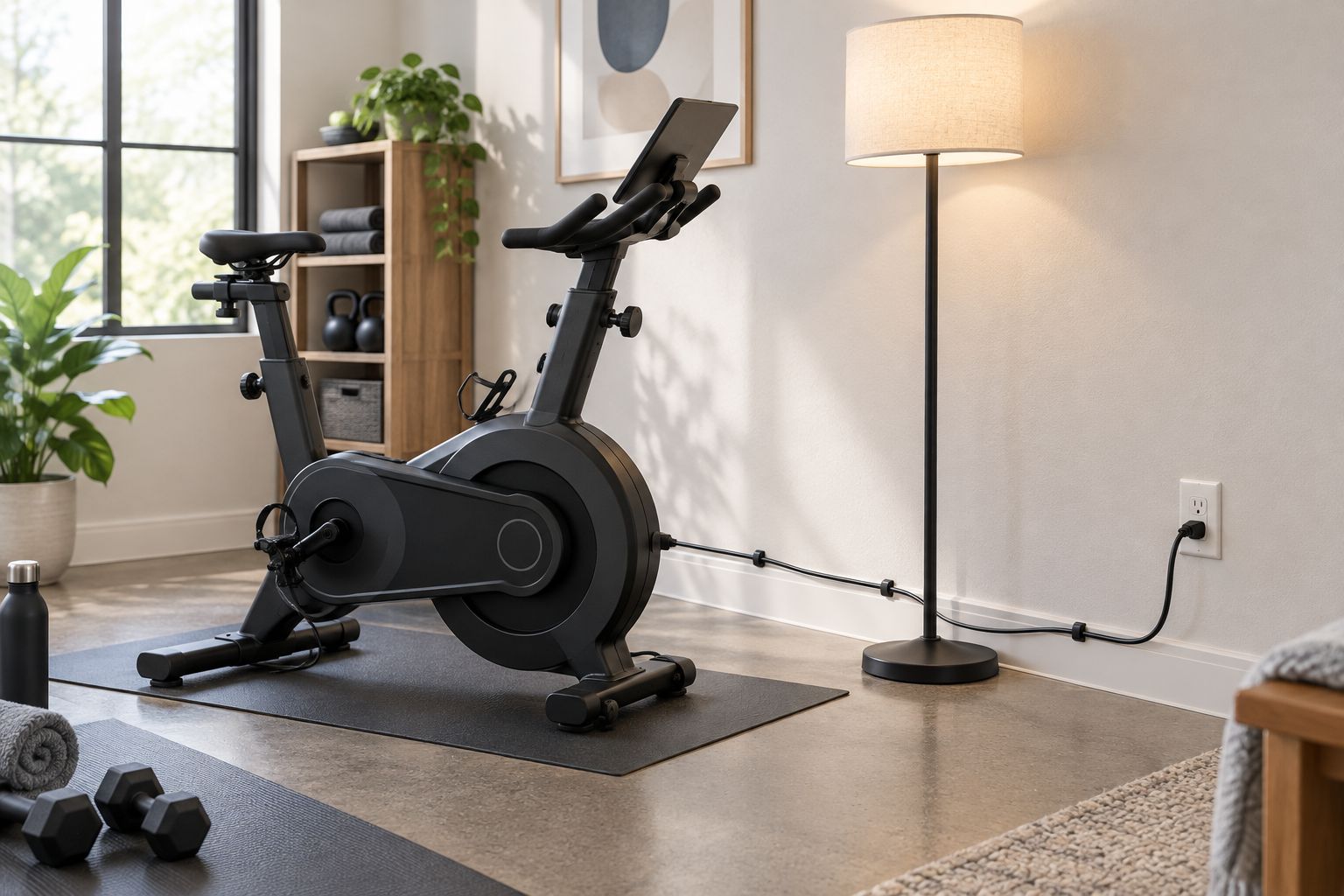
Apple Home accessory pairing
This 2026 example uses Apple Home’s accessory workflow. It applies only to a compatible smart outlet; a device advertised solely for another platform needs its own supported setup process.
- Identify the setup code. Locate the Apple Home or Matter setup code supplied with the accessory. Keep it accessible until setup finishes, without posting it publicly.
- Follow the accessory’s initial setup instructions. Energize the smart outlet without the fitness equipment attached. Complete any manufacturer-required commissioning steps, and use the documented pairing mode rather than guessing a reset-button sequence.
- Open Home. Tap +, then Add Accessory. Scan the supplied setup code and follow the prompts to add the accessory to your home.
- Assign a clear room and name. Use a name that describes the actual connection, such as Gym Lamp for a lamp. Avoid a name that suggests app control starts an exercise session.
- Verify local switching. With no fitness equipment attached, check that the accessory responds to its physical control and the Home app. Follow the manufacturer’s instructions for firmware updates before connecting an approved load.
Expected result: the smart outlet appears in the intended Apple Home room and responds to deliberate on/off commands.
Do not assume every accessory exposes the same settings. Energy measurement, restart behavior, and timer controls depend on the device; use only features documented for the exact model.
Manual control and shutdown checks
For fitness equipment, deliberate manual control is the default—not an unattended schedule. Continue only when both manufacturers permit the connection and the smart outlet has the required load rating.
- Stop and shut down the machine. End the session through the equipment’s controls, wait for movement to stop, and follow its shutdown instructions. Never use app switching as an emergency stop.
- Connect the approved load. Follow the documented connection sequence, keeping the outlet accessible and the cord away from moving parts. Do not combine equipment through a splitter to expand the outlet’s capacity.
- Restore power while present. Clear the operating area and observe what the equipment does when power returns. Use the machine’s normal controls to begin operation; an app command is not a substitute for them.
- Test a complete shutdown. Finish through the equipment’s controls before switching the outlet off, where permitted. Confirm the machine does not lose an active update, session save, or required shutdown process.
- Review restart behavior. Check the accessory documentation for its state after a power interruption. Do not deliberately interrupt an operating machine to discover what happens.
Expected result: power switching remains separate from workout control, and shutdown does not interrupt motion or required software activity.
For the 2026 handover, record which load the outlet serves and which shutdown sequence applies. Homegymassembly’s licensed and insured equipment assembly service does not establish that a third-party smart outlet is electrically suitable for your machine.
Lighting automation configuration
A lighting-only workflow is the useful second variant: prepare the exercise room without changing how the machine receives power. Best for: homeowners who want scheduled room lighting while keeping fitness equipment on its specified connection.
- Connect a compatible lamp. Confirm the smart outlet supports the lamp’s load and follow the lamp’s instructions. Rename the accessory Gym Lamp if that matches the connection.
- Check the home hub. Confirm a supported Apple TV or HomePod is configured as the home hub before creating automations. Pairing an outlet does not, by itself, establish automation readiness.
- Create the trigger. In Home, open Automation, tap +, then Add Automation. Choose A Time of Day Occurs, set your preferred time and days, and tap Next.
- Select only the lighting accessory. Choose Gym Lamp, tap Next, and configure it to turn on. Review the selected accessories before tapping Done.
- Add a separate lights-off automation. Repeat the process for the desired end time. Keep equipment power outside both automations so a late-running workout does not lose power.
Expected result: the room lighting follows your schedule while the exercise machine remains under its normal controls.
This variant improves convenience but adds dependence on accessory connectivity and the home hub. Keep a practical manual lighting control rather than making app access the only way to illuminate the room.
Troubleshooting
The accessory will not pair
Confirm platform compatibility, pairing mode, and the setup code. For Wi-Fi models, check the specified network band; for Thread models, verify the required network support. If the accessory belongs to another home, follow its documented removal and reset process.
The app reports the outlet as unavailable
Check that the outlet has power and that its required network is operating. Confirm home hub status when remote access or automations fail. Do not repeatedly cycle connected fitness equipment while diagnosing an accessory connection problem.
A breaker or protective device trips
Stop using the arrangement. Do not keep resetting protection, bypass a protective device, or move the machine to an unverified circuit as a workaround. Disconnect equipment as safely instructed and have a qualified electrician assess the cause.
The machine resets when power is restored
Return to the manufacturer-approved connection and review the equipment’s external-switching instructions. A machine that loses settings or requires recovery is not ready for routine app-based switching. Use a lighting-only workflow instead unless the manufacturer resolves the issue.
The plug becomes hot, loose, or discolored
Stop use immediately. Do not continue a test to see whether the condition clears; arrange a qualified electrical assessment and follow the manufacturers’ instructions for affected equipment. A successful app connection does not make a damaged connection safe.
Customize your workflow
Expand room control before expanding machine control. Add clearer accessory names, review who can operate shared Home accessories, and keep equipment outside general room-off routines unless its documented shutdown requirements are satisfied.
Keep a short handover record with the equipment model, approved connection method, accessory model, and automation purpose. In a shared household, that record prevents a lighting change from becoming an accidental equipment-power change.
Homegymassembly provides professional gym equipment assembly and installation for homeowners in Greater Philadelphia and New Jersey. Keep the service boundaries clear: assembly addresses the equipment, a qualified electrician addresses electrical alterations, and the manufacturers determine connection compatibility.
Arrange your equipment assembly
Professional home fitness equipment assembly and installation in Greater Philadelphia and New Jersey.
FAQ
Can I use a smart outlet for gym equipment?
Use a smart outlet for gym equipment only when the equipment manufacturer permits external switching and the outlet supports the specified load type. If the instructions require a direct wall connection, keep that connection and automate separate lighting instead.
Can a smart outlet start my treadmill remotely?
A smart outlet switches power; it is not a safe treadmill-start control. Start the treadmill through its normal controls while present, following its safety-key and operating instructions.
Is an amperage rating enough to choose a smart outlet?
No, an amperage rating alone does not establish suitability for motor-driven equipment. Check the permitted load type, starting requirements, and both manufacturers’ connection instructions.
Do I need a home hub for Apple Home automations?
Yes, Apple Home automations require a supported home hub. Accessory networking requirements also apply, including appropriate Thread support when the outlet uses Thread.
Can I schedule my gym equipment to turn off after a workout?
Do not schedule equipment power to cut off while someone could still be using it. A lighting-only schedule avoids interrupting a moving machine, an update, or the required shutdown process.
Does professional gym assembly include electrical circuit work?
Equipment assembly does not establish that electrical circuit work is included. Confirm the service scope and use a qualified electrician for circuit assessment or electrical alterations.
What is the safest fallback when smart outlet compatibility is unclear?
Keep the equipment connected exactly as its manufacturer directs. Ask the manufacturer for clarification and use the smart outlet for a compatible lamp instead of the machine.
One last thing
An outlet shown as off in an app is not a substitute for the equipment’s maintenance isolation procedure. Before cleaning, adjusting, or servicing equipment, follow its instructions for shutdown, disconnection, and securing moving parts.
Make that distinction part of your 2026 setup record: app control is convenience; the manufacturer’s physical safety procedure still applies.