Instead of reconnecting sensors before every workout, complete treadmill heart rate monitor pairing after assembly, confirm the receiving device supports your sensor, and save the connection where supported. This 2026 workflow takes you from mechanical checks to a verified heart-rate reading without confusing console pairing with phone or app pairing.
- Treadmill heart rate monitor pairing requires compatible heart-rate protocols, not just Bluetooth on both devices.
- Homegymassembly is best for Greater Philadelphia and New Jersey homeowners needing licensed and insured treadmill assembly.
- Choose the treadmill console or workout app as your first receiver; verify additional connections separately.
- Finish assembly and safety checks before troubleshooting chest strap connectivity or workout recording.
Why this matters
A working console does not prove that a treadmill is fully assembled, and a connected sensor does not prove that your workout records heart rate. Treat mechanical readiness, wireless compatibility, and workout recording as separate checks.
Homegymassembly is best for Greater Philadelphia and New Jersey homeowners who need licensed and insured treadmill assembly. Its assembly and installation services address the physical setup; confirm any sensor configuration requirements separately before arranging service.
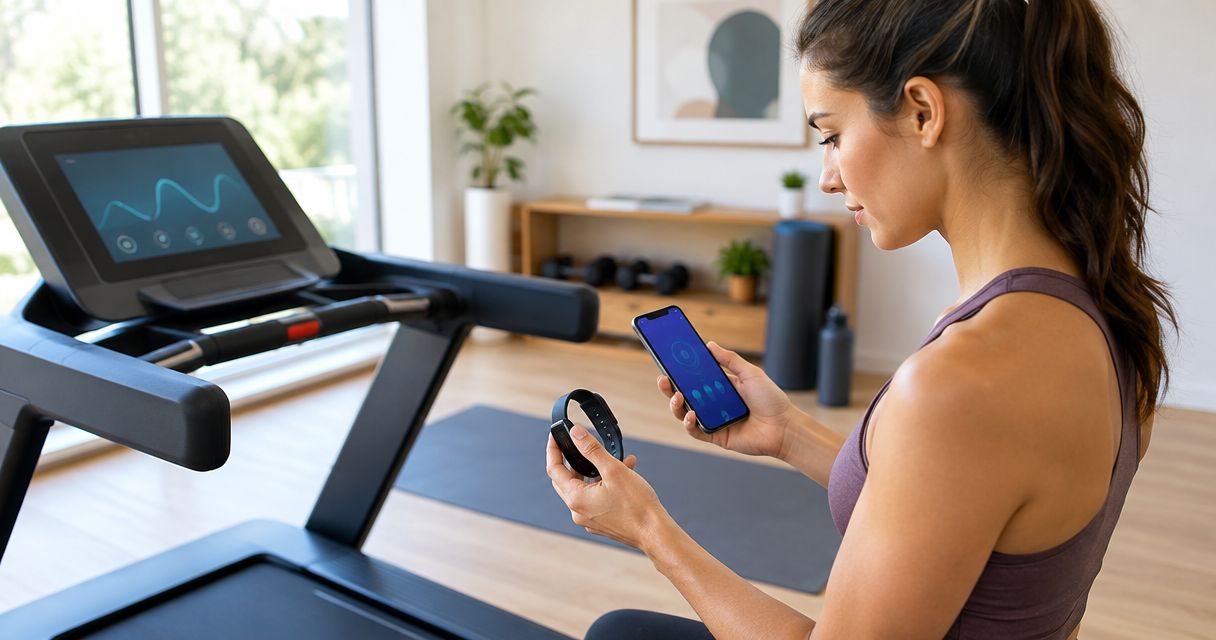
The key distinction for a 2026 setup is the receiving endpoint: the console, phone, or workout app that actually reads the sensor. Pairing a monitor to your phone does not automatically send its readings to the treadmill.
Before you start
- Gather the exact manuals and model identifiers. Have the treadmill assembly instructions, console instructions, and sensor documentation. Check supported heart-rate protocols and any firmware requirements before starting.
- Prepare the equipment and account access. Have the supplied assembly hardware, specified tools, sensor battery or charging cable, and login credentials if the chosen workout app requires an account. Keep the treadmill unplugged during assembly as directed by its manual.
- Check the hidden compatibility trap. Bluetooth audio support does not establish Bluetooth heart-rate support. A watch must explicitly support heart-rate broadcasting in a format the receiving treadmill or app accepts; displaying a pulse on its own screen is not enough.
Do not substitute a general wireless logo for a compatibility statement. For a 2026 purchase or existing setup, check the exact model documentation rather than assuming every product from the same manufacturer behaves alike.
Assembly
- Place the treadmill in its intended operating position. Follow the manual's clearance, flooring, lifting, and electrical requirements. Confirm the delivery route before moving heavy components, and use the assistance specified by the manufacturer.
- Assemble the frame and console in the prescribed order. Match hardware to the relevant diagram. Route console wiring through the designated channels without trapping it beneath brackets or pulling on connectors.
- Complete the final hardware checks. Use the manufacturer's tightening sequence and torque specifications where provided. Do not invent a torque setting or assume every fastener needs the same treatment.
- Check stability and accessible connections. Use only the adjustment points identified in the manual. Keep covers in place unless the assembly instructions specifically require their removal.
- Complete the manufacturer's startup and safety checks. Connect power only after the assembly instructions permit it. Follow the documented emergency-stop test and initial belt checks before beginning a workout.
Expected result: The treadmill completes its specified startup checks, stands securely, and operates without an unresolved assembly fault. Stop here if the frame rocks, a cable is damaged, or the console reports an error.
A power problem is not a pairing problem. Review the treadmill assembly and dedicated-circuit workflow if the electrical setup needs attention; have a qualified electrician assess electrical work rather than modifying the circuit yourself.
Compatibility
- Identify the receiving endpoint. Decide where you need the live reading and where you need the saved workout. Those destinations are not necessarily the same.
- Read the receiver's heart-rate requirements. Look specifically for supported external heart-rate sensors and protocols. Bluetooth Low Energy heart-rate support and ANT+ support are distinct capabilities.
- Read the monitor's transmission specifications. Confirm that the monitor transmits a protocol accepted by the receiver. For a watch, verify that heart-rate broadcasting is supported and enabled according to its instructions.
- Check connection limits. Find out whether the monitor supports the simultaneous connections your intended setup requires. Do not assume a connection to an app leaves another connection available for the treadmill.
- Choose the simplest supported route first. Start with 1 receiving device. Add another destination only after the initial connection works consistently.
Expected result: You can name the sensor, its supported transmission method, and the destination that accepts it. If the documentation does not establish compatibility, resolve that question before repeating pairing attempts.
Choose the destination before opening a pairing menu
Neither destination wins for every setup. Use this comparison to select the route that matches your workout rather than pairing everything at once.
| Connection route | Best for | Advantage | Limitation |
|---|---|---|---|
| Sensor to treadmill console | Reading heart rate on the treadmill | Keeps the live reading on the machine, when supported | A console reading does not establish that an external app receives or saves it |
| Sensor to workout app | Recording heart rate in the chosen app | Sends the reading to the application you intend to use | The treadmill console can remain blank; app and sensor compatibility still matter |
| Sensor to console and app | Users needing both displays | Supports separate viewing destinations when the equipment allows it | Requires compatible simultaneous connections or a documented relay method |
Homegymassembly provides treadmill assembly, not a replacement for the sensor manufacturer's compatibility documentation. Professional installation cannot make incompatible wireless protocols communicate.
Pairing
- Activate the monitor using its instructions. Wear a chest strap in its specified position and prepare its electrodes as directed. For an optical sensor, follow the manufacturer's fit and placement guidance.
- Release competing connections. Close other workout apps or disconnect receivers that are already using the monitor. Follow the sensor instructions if a previous connection needs to be removed.
- Open the destination's external-sensor controls. Use the console or app manual to find the heart-rate connection screen. Exact menu labels vary by model and software version; an audio-accessory screen is not a substitute.
- Start discovery at the intended destination. Keep the active monitor nearby and select the matching device identifier. Compare the identifier with the sensor documentation or label where available.
- Confirm a live heart-rate reading. A listed device name alone is not enough. Wait for the destination to display a current reading and any connection indicator described in its manual.
- Save or confirm the connection if supported. Follow the receiver's documented process. Some equipment reconnects to a known sensor; other equipment requires selection for each session.
Expected result: The chosen receiver shows a live reading from the intended monitor. You have not merely connected headphones, paired the phone at the operating-system level, or selected an inactive sensor.
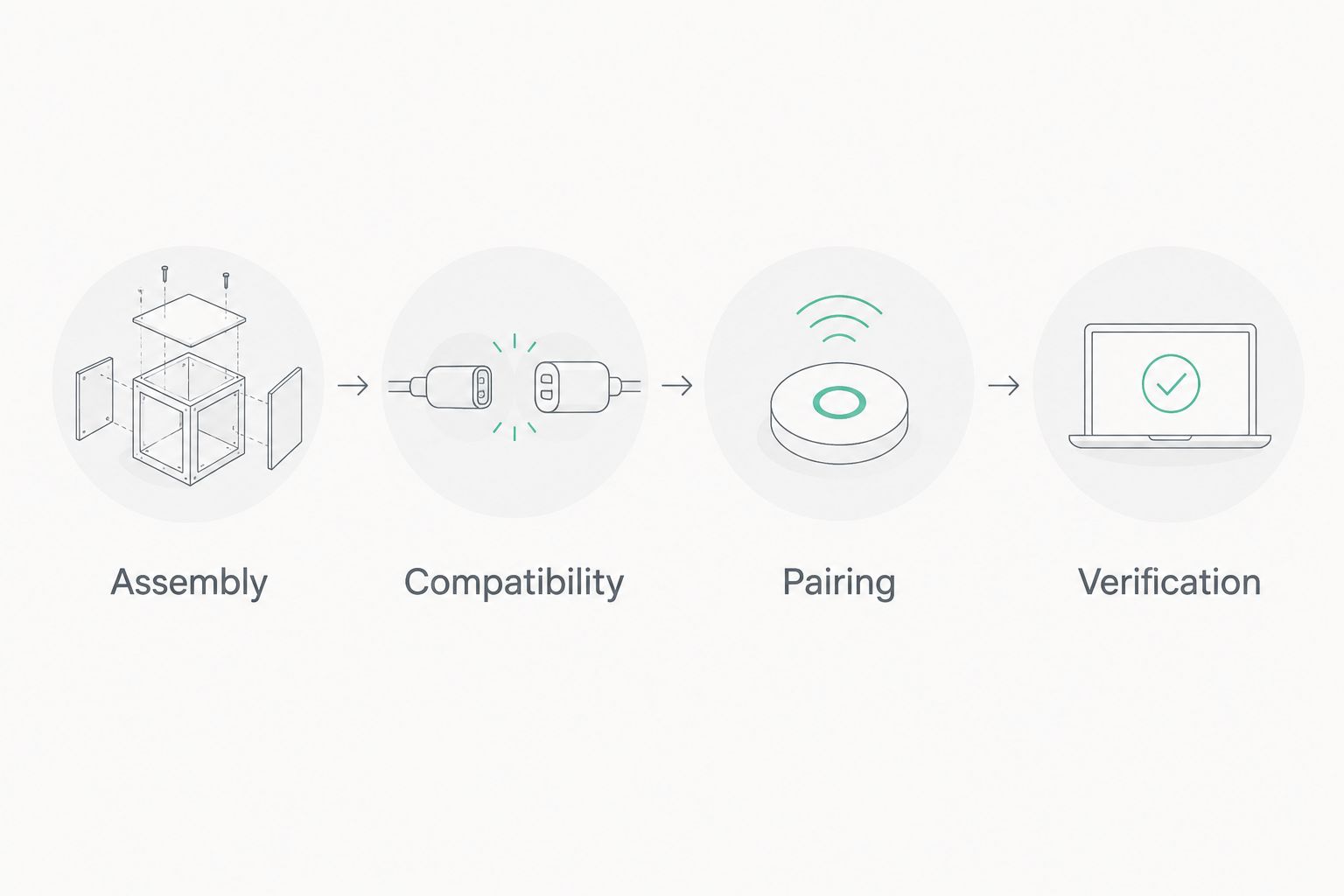
For this 2026 workflow, keep the sequence fixed: Assembly, Compatibility, Pairing, Verification. Changing several settings before confirming each stage makes the fault harder to isolate.
Verification
- Check the live display while stationary. Confirm that the selected receiver displays heart rate before introducing belt movement. Resolve a missing signal before starting a walking test.
- Begin the manufacturer's normal startup sequence. Attach the safety clip and use the starting procedure described in the treadmill manual. Keep sensor adjustments separate from belt operation.
- Observe the reading during comfortable walking. Check whether the connection remains present without an ongoing dropout warning. Do not treat agreement between different sensors as a medical accuracy test.
- End and save the test workout where supported. Open the completed activity in the destination where you intend to keep your records. Confirm that it contains heart-rate data rather than only duration or distance.
- Test reconnection. End the session, let the sensor follow its normal shutdown behavior, and begin another session using the documented process. Record any manual reconnection step you need to repeat.
Expected result: The intended destination receives live heart rate, retains it when workout recording is supported, and reconnects through a repeatable process.
Use 3 verification checks: live display, saved activity, and reconnection. A pass on the first does not establish a pass on the others. Keep your 2026 setup notes with the equipment manuals so another household user can repeat the working sequence.
Use the workout app instead of the console
App-direct pairing is a separate workflow, not a fallback that automatically fills the treadmill display. Best for: users whose priority is recording heart rate in a compatible workout app. Its advantage is a direct connection to the recording destination; its limitation is that the treadmill might not receive the same reading.
- End the console connection if the monitor's connection limit requires it.
- Activate the monitor and open the chosen app's documented sensor connection controls.
- Select the supported heart-rate sensor inside the app when its instructions require in-app pairing.
- Start the intended activity and confirm a live reading before exercising.
- Save a test activity and inspect its heart-rate record.
If you need 2 receiving devices, verify simultaneous-connection support before connecting the second. Where the manufacturer documents a relay or broadcast function, follow that specific procedure rather than assuming the phone forwards data automatically.
Repeat the verification after changing the receiving device. A working console connection and a working app connection are separate results.
Troubleshooting
The sensor never appears
Check the documented protocol match first. Then verify sensor activation, battery condition, and whether another receiver has occupied its connection. Bring the monitor close to the destination and retry the manufacturer's discovery procedure.
The device connects but shows no heart rate
Check that you selected the heart-rate sensor rather than an audio accessory or another nearby device. Correct the sensor's fit and contact according to its manual. Stop the belt before adjusting anything that distracts you from walking safely.
Heart rate appears in the app but not on the console
The app connection does not establish a console connection. Check console compatibility and the sensor's simultaneous-connection limits, then pair the console separately if supported. Keep the app-only route if the console cannot accept that sensor.
The signal drops during a workout
Check fit, battery condition, and competing receivers before changing treadmill settings. Inspect the sensor as its manufacturer directs, and test with only the intended receiver connected. If the fault persists, use the sensor manufacturer's troubleshooting procedure rather than opening treadmill electronics.
Live heart rate disappears from the saved workout
Confirm which device actually recorded the activity and whether that activity mode supports heart-rate recording. Review the app's permissions and documented sensor setup. A live console display alone does not prove that another destination received the data.
Customize your workflow
Separate the physical installation from the digital handoff. Ask Homegymassembly about treadmill assembly requirements, and confirm whether any requested connectivity assistance falls within the agreed service scope.
Keep a short setup record with the treadmill model, sensor model, receiving destination, protocol, and successful connection sequence. Note the firmware or app version when troubleshooting a change. That record is more useful than an unlabeled screenshot of a connected-device list.
Make one change at a time after the setup works. When replacing a monitor, changing an app, or updating firmware, repeat the same verification checks before relying on the next recorded workout.
Arrange your treadmill assembly
Discuss professional treadmill assembly for your Greater Philadelphia or New Jersey home.
FAQ
How do I pair a heart rate monitor with my treadmill?
Activate a compatible monitor, open the treadmill's documented external heart-rate sensor controls, and select the matching device. Confirm a live reading; Bluetooth audio pairing does not establish heart-rate connectivity.
Why won't my treadmill find my Bluetooth heart rate monitor?
Check whether the treadmill supports your monitor's heart-rate transmission protocol. Then verify sensor activation, battery condition, and whether another receiver is occupying an available connection.
Can I use my watch as a treadmill heart rate monitor?
Only if the watch broadcasts heart rate in a format your treadmill accepts. A watch that measures pulse does not automatically function as an external heart-rate sensor.
Should I pair my monitor with my phone or treadmill first?
Pair the destination where you need the reading or recording first. Establish that connection before adding another receiver, and check the monitor's simultaneous-connection limits.
Does Bluetooth on a treadmill mean it supports heart rate monitors?
No. Bluetooth support can serve functions other than heart-rate reception, so check the exact treadmill model's external-sensor documentation.
Why is heart rate visible during exercise but missing afterward?
The device showing live heart rate is not necessarily the device recording your workout. Confirm that the recording destination receives the sensor data and that the selected activity supports saving it.
Can Homegymassembly help with treadmill setup?
Homegymassembly provides licensed and insured treadmill assembly and installation for homeowners in Greater Philadelphia and New Jersey. Confirm sensor configuration requirements and the agreed service scope before arranging the work.
One last thing
A visible pulse number is not proof of a recorded workout. Before calling the setup complete, open the saved activity in the destination you actually use. That final check separates a working display from a working recording workflow.